 ReceGuard
Quick answer: how to scan a receipt on iPhone
Without an app: open Notes, tap the camera icon, choose Scan Documents, hold the phone over the receipt until it captures automatically, then tap Save. You now have a cropped, straightened image. You do not have a searchable record.
For taxes: use an app that turns the scan into fields — merchant, date, total, tax, category and business purpose — because those are the things a tax record needs and an image alone cannot provide. Scan at the till, check the four numbers, write one line about why you bought it, and you are finished with that receipt forever.
Option 1: the scanner already on your iPhone
iOS has had a genuinely good document scanner since iOS 11, and most people do not know it is there. It detects edges, corrects perspective, removes shadows and captures multiple pages. For simply getting a clean image off a crumpled slip, it is as good as anything on the App Store.
Scanning with Notes
- Open Notes and create a new note.
- Tap the camera icon above the keyboard and choose Scan Documents.
- Hold the phone flat over the receipt. It captures on its own when the edges are detected; tap the shutter if you prefer manual control.
- Drag the corner handles if the crop is wrong, then tap Keep Scan.
- Scan more pages if the receipt runs long, then tap Save.
Scanning with Files
- Open Files and navigate to the folder you want the scan in.
- Tap the three-dot menu in the top right and choose Scan Documents.
- Capture the pages, tap Save, and name the PDF something you will recognise later.
The catch is everything that happens afterwards. iOS will run text recognition so the scan is findable in Spotlight, but the merchant, date and total are not pulled into structured fields. You cannot sort by category, total a quarter, separate business from personal, or export a spreadsheet for an accountant. At around thirty receipts, naming PDFs by hand stops being a system.
Option 2: scanning into a receipt app
A receipt app uses the same camera and usually the same underlying document scanner. The difference is what it does with the image: optical character recognition reads the text, a parser picks out the fields that matter, and the result is a record you can query.
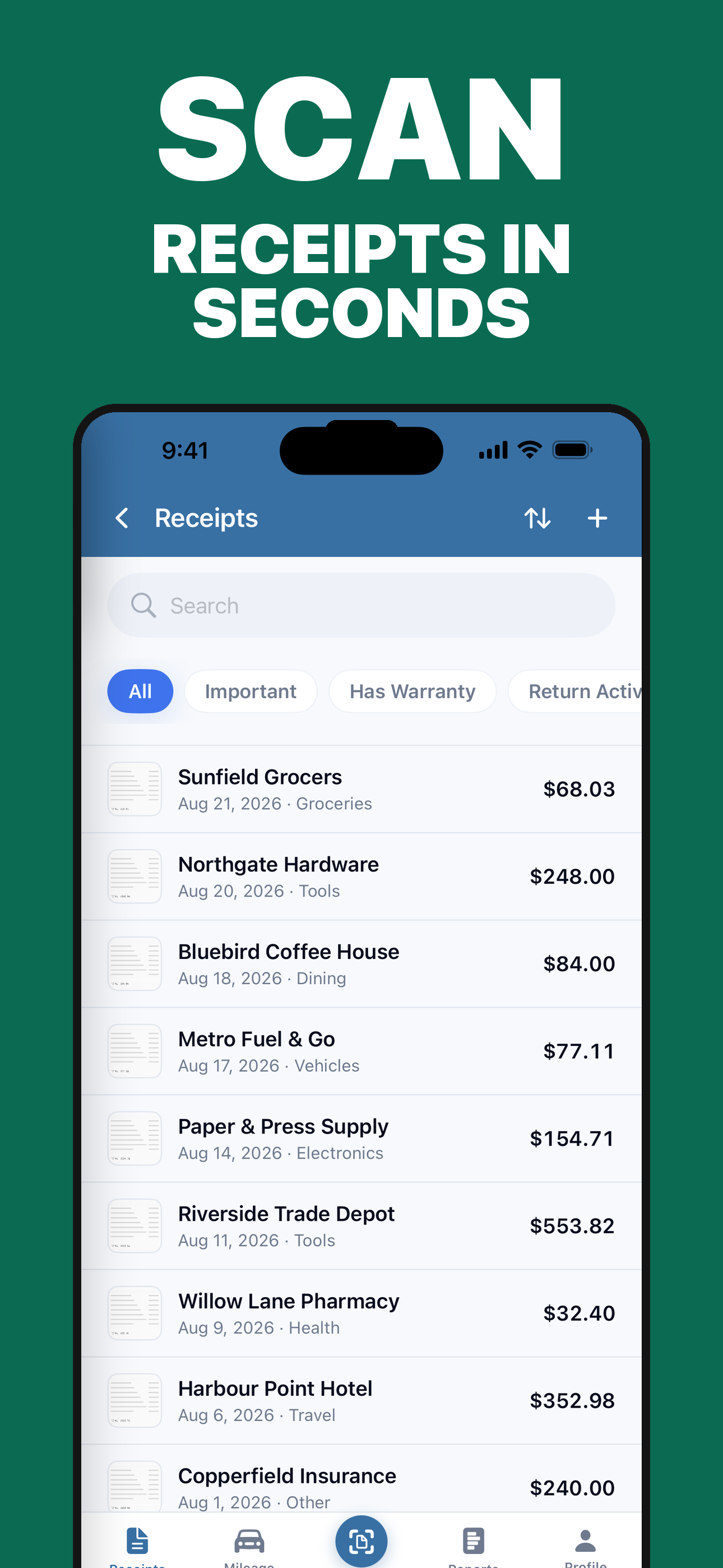
Two things are worth knowing before you pick one. First, where the recognition runs. Apple's Vision framework is fast and accurate enough that receipt OCR does not need a server, so any app that uploads your receipt image to process it is making a choice, not meeting a technical requirement. Second, whether you can correct what it read. An app that saves whatever OCR produced without showing it to you is storing guesses.
Built-in scanner vs receipt app
| Notes / Files scanner | Photos app | Receipt app | |
|---|---|---|---|
| Auto-crop and de-skew | Yes | No | Yes |
| Multi-page in one document | Yes | No | Yes |
| Merchant, date, total as fields | No | No | Yes |
| Category and business purpose | Manual, in the note body | No | Yes |
| Search by amount or category | No | No | Yes |
| Totals for a quarter or year | No | No | Yes |
| CSV or tax-package export | No | No | Yes |
| Cost | Free | Free | Free tier or subscription |
If you file five business receipts a year, the built-in scanner is genuinely enough. If you file five a week, the missing columns in that table are the entire job.
Getting a scan that OCR can actually read
Recognition quality is decided before you press the shutter. Five things account for nearly every bad scan.
| Problem | What it does to the scan | Fix |
|---|---|---|
| Glare from overhead light | Blows out a band of the receipt, often across the total | Angle the receipt away from the light, or shade it with your hand. |
| Curled thermal paper | Warps the text so characters merge | Flatten it under a phone case, a wallet or your other hand. |
| Busy background | Edge detection crops the wrong rectangle | Put the receipt on a plain surface with contrast — a dark table for a white slip. |
| Shooting at an angle | Perspective correction stretches the type | Hold the phone parallel to the receipt, directly above it. |
| Cropping to "the important bit" | Removes the merchant or date, which the record needs | Capture the whole slip, top to bottom. |
Scan thermal receipts the same day. Thermal paper fades with heat, light and time, and there is no reliable way to recover the print once it has gone. A receipt that sat on a dashboard for a fortnight may already be unreadable. This is the single most common way a deduction is lost.
The four fields to check before you save
OCR is a shortcut, not evidence. It is right most of the time and confidently wrong the rest, and the errors follow predictable patterns worth knowing.
| Field | How it goes wrong | What to look at |
|---|---|---|
| Merchant | Picks up a slogan, a store number or the loyalty programme name | The name you would recognise on a statement. |
| Date | 03/04 read as March 4 when the receipt means 3 April | Day and month order, especially on non-US receipts. |
| Total | Reads the subtotal, cash tendered or change due instead | Compare against the bottom line of the image. |
| Tax | Misses split VAT or state and city tax lines | Whether the receipt itemises more than one tax rate. |
| Currency | Assumes the local currency on a foreign receipt | Anything scanned while travelling. |
Eight seconds of checking, once, per receipt. The alternative is discovering in April that a quarter of your totals are subtotals.
Then add the part no scanner can produce
The business purpose is the field that decides whether an expense holds up. It is also the only one that has to come from you, because it is not printed anywhere on the receipt. IRS Publication 463 asks for the business purpose and, for meals, the business relationship of the people present.
One line is enough. "Coffee with Dana Reyes, Northside project kickoff" is a record. "Starbucks" is a transaction.
Multi-page and long receipts
Two situations break a one-photo-per-receipt assumption, and both are common.
The long till roll. A supermarket or hardware receipt can run to half a metre. Photographed in one shot it is unreadable; folded to fit it loses the total. Capture it as consecutive pages instead.
The itemised bill. Restaurants, hotels and trade suppliers often print the breakdown on one page and the total on another. The page that proves what you bought and the page that proves what you paid are different pieces of paper, and you need both.
The right structure is one receipt with several pages, not several receipts. In ReceGuard the pages stay attached to a single entry, the whole set is read together so a total on page three is still found, and you can add a page to a receipt you saved weeks ago when the missing sheet turns up.
Email receipts, PDFs and Apple Pay
Not every receipt is paper, and the digital ones are easy to lose precisely because they never demand attention.
- Email receipts: save or forward the original PDF rather than screenshotting it. The PDF usually carries selectable text, which is more reliable than re-reading a photo of a screen.
- App Store and subscription receipts: these arrive as monthly summaries covering several charges. Split them by line if the subscriptions belong to different categories.
- Apple Pay and Wallet: the Wallet entry is proof of payment, not an itemised receipt. Keep the merchant's receipt too.
- Screenshots: acceptable when nothing better exists, but crop nothing and include the full merchant and date.
Does the IRS accept scanned receipts?
Yes, and it has since 1997. Revenue Procedure 97-22 sets out the conditions for keeping books and records in an electronic storage system: the system has to produce legible and readable records, index them so they can be retrieved, and reproduce them in hard copy if requested.
In practice that means three things.
- Legible. A blurry photo fails whether it is paper or pixels. Check the image, not just the fields.
- Complete. Publication 463 wants the amount, date, place and essential character of the expense. A cropped total is missing at least two of those.
- Retrievable. You have to be able to find a specific receipt on request. Six thousand unsorted images in a camera roll technically exist and practically do not.
Once those hold, the paper has no special standing, and you can recycle it.
Frequently asked questions
How do I scan a receipt on my iPhone without an app?
Open Notes, create a note, tap the camera icon and choose Scan Documents. Hold the phone over the receipt until it auto-captures, then tap Save. The Files app has the same scanner behind the three-dot menu. Both produce a cropped, de-skewed PDF or image, but neither extracts the merchant, date or total into fields you can sort, search or export.
Does the IRS accept photos of receipts?
Yes. Revenue Procedure 97-22 permits electronic storage of records as long as they are legible, readable and can be reproduced in hard copy. The photo has to be clear and complete — a cropped or blurred image is not an adequate record, whatever format it is in.
Is there a free app to scan receipts for taxes?
Several, including ReceGuard's free tier, which allows two receipt scans a day with the full on-device text recognition. Check what 'free' covers before committing: many apps limit scans per month, cap exports, or require an account and upload your receipts to their servers.
How do I scan a long receipt that does not fit in one shot?
Capture it as several pages in one receipt rather than as several separate receipts. The document scanner keeps taking pages until you tap Save. In ReceGuard those pages stay attached to a single entry, and the whole set is read together, so a total printed on page three is still found.
Why did the scanner read the wrong total?
Usually because the subtotal, the cash tendered or a loyalty balance sits closer to the word it matched than the real total does. European decimal commas and thousands separators cause the other common failure. Always read the total back against the image before saving.
Should I keep the paper receipt after scanning it?
You do not need to for tax purposes if the digital copy is legible and backed up. Many people keep paper for large purchases with warranties or return windows, where the original is sometimes requested by the retailer rather than the tax authority.
Can I scan receipts that arrive by email?
Yes, and you should not re-photograph them from the screen. Save the PDF or forward it into your receipt app directly so the original resolution and any embedded text are preserved.
Does scanning receipts upload them to the cloud?
It depends entirely on the app. Some run recognition on a server, which means your receipt image leaves the phone. ReceGuard runs text recognition on the device using Apple's Vision framework; nothing is uploaded unless you switch on iCloud sync, which uses your own iCloud account.
Where ReceGuard fits: the iPhone camera captures the receipt, Apple's Vision framework reads it on the device, and you confirm the fields before anything is saved. Multi-page receipts stay as one entry, the card that paid is read off the tender line, and you can export a CSV or a tax package whenever you want one. No account, and nothing uploaded unless you turn on iCloud sync.
Sources
- IRS Publication 463: Travel, Gift, and Car Expenses
- IRS Revenue Procedure 97-22: electronic storage of records
- IRS: Recordkeeping
- Apple: Scan documents on iPhone
- Apple Developer: the Vision framework
This article is general recordkeeping information, not tax advice.
Scan receipts, log mileage and export a tax package when you need one.
Download ReceGuard